Book a Test
Microsoft Certification Exams: Test Centre vs. Online from Home
Microsoft provides two main ways to take most Microsoft Certification exams: in person at an authorised test centre or online from home or an office under remote supervision. The process starts with selecting your certification, registering through Microsoft Learn, and scheduling an appointment with the relevant exam provider.
Microsoft Learn
1. The overall process
Step 1 — Create your Microsoft Learn profile
Sign in to Microsoft Learn. Complete your profile and select Student as your career path if you are a student.
Step 2 — Choose your certification and prepare
Select the certification you want, review its exam requirements and study guide, and use Microsoft Learn training and practice assessments where available.
Step 3 — Register and book your exam
Open the certification’s details page, select Schedule exam, and follow the instructions to choose the exam provider, delivery method, date and time.
Step 4 — Take the exam
Attend your scheduled test centre appointment or complete the online identity checks and connect with a remote proctor from home.
Step 5 — Receive your result
For most exams, you receive your result shortly after completion. It may take up to 24 hours for the result to appear in your Microsoft Learn profile.
Sources: Microsoft Student Credentials, Register and schedule an exam, and Certification process overview.
Microsoft Learn
+2
2. Taking the exam at a test centre

Best for candidates who prefer a controlled environment
The test centre provides the computer, exam workstation and secure testing environment. You do not need to prepare your home computer for online proctoring.
Microsoft Learn
+1
Follow these steps:
- Book your appointment. Select a test centre and an available date and time during registration.
- Arrive early. Allow sufficient time for travel and check-in.
- Present your identification. Bring the original, valid identification required by the exam provider. Ensure the first and last names on your ID match your registration details.
- Complete security checks. Centre staff verify your identity and explain the testing rules. Personal belongings and unauthorised materials must be stored away.
- Take the exam. You sit at the assigned workstation and complete the exam under the centre’s security procedures.
- Finish and receive your result. Follow the centre’s instructions at the end of the exam. Results for most Microsoft certification exams are available within minutes.
Pearson VUE+2
3. Taking the exam from home

Best for candidates who want flexibility
Microsoft partners with Pearson VUE for online-proctored exams. A remote proctor supervises the session through your webcam and microphone, and your identity and testing environment must be verified before the exam begins.
Microsoft Learn
+1
Before exam day
- Check your computer. Run the official Pearson VUE system test on the same computer and in the same location you intend to use for the exam.
- Check your identification. Ensure you have an acceptable, current government-issued ID and that the name matches your Microsoft Certification profile exactly.
- Prepare your room. Use a quiet room with walls and a closed door. Nobody else may enter during the exam.
- Prepare your equipment. Check your webcam, microphone and internet connection. A wired connection is recommended where possible.
- Clear your workspace. Remove notes, books, additional monitors and other unauthorised materials. Review the official online exam requirements.
Microsoft Learn+1
On exam day
- Log in early. Microsoft recommends starting the check-in process 15 minutes before your appointment.
- Open your exam appointment. Sign in to Microsoft Learn with the personal Microsoft account associated with your certification profile. Select your profile, open Certifications, and find your scheduled appointment.
- Launch the exam. Select Go to the exam, open the relevant purchased online exam and select Begin exam.
- Complete online check-in. Follow the instructions to use the secure browser, submit your ID and headshot, and take photographs of your exam area.
- Wait for verification. A greeter reviews your identity and room photographs. You then enter the proctor queue and wait for the exam to be authorised.
- Complete the exam under supervision. Your session is monitored and recorded. Follow the exam rules, do not receive outside assistance, and do not use unauthorised devices or materials.
- Submit the exam. Follow the on-screen instructions to finish and check your result when it becomes available.
Important: If your computer fails the system test or your home environment cannot meet the security requirements, Microsoft recommends taking the exam at a test centre instead.
Microsoft Learn
4. Comparison of the two methods
| Requirement | Test centre | From home |
|---|---|---|
| Computer | Provided at the centre | Your own compatible computer |
| Internet and software checks | Handled by the centre’s environment | You must check your equipment and connection |
| Identification | Valid ID checked by staff | Valid ID submitted for online verification |
| Supervision | Centre staff and testing controls | Remote proctor via webcam and microphone |
| Testing environment | Provided and controlled | You must prepare a compliant private room |
| Travel | Required | Not required |
| Privacy | No home-room scan | Room photographs and audio/video monitoring |
| Exam difficulty | Equivalent | Equivalent |
Microsoft Learn
+2
5. Important points for students
The Microsoft Learn Student Hub highlights three additional steps for students:
- Create a Microsoft Learn profile and select Student as your career path.
- Verify your student status to access eligible discounts on certification exams.
- Prepare using Microsoft Learn training, hands-on practice and available practice assessments.
Note that Microsoft certification exams and Microsoft Applied Skills assessments are not the same process. Certification exams are scheduled assessments, while Applied Skills credentials are earned through interactive, lab-based assessments. The assessment instructions may therefore differ.
Microsoft Learn
6. Official resources

Microsoft Learn — Student Credentials
Student profiles, eligible discounts and credentials.

Microsoft Learn — Register and Schedule an Exam
Registration, exam providers and delivery options.

Microsoft Learn — Online Exams
Technical requirements, identity checks and online exam rules.

YouTube — Booking a Test
The video you supplied.
Conclusion
The main difference is responsibility for the testing environment. At a test centre, the provider supplies a controlled environment and manages the security checks. From home, you are responsible for the computer, internet connection, room setup and initial identity verification, while a remote proctor supervises the exam.
Both routes lead to the same type of Microsoft certification exam, and Microsoft states that the difficulty is equivalent regardless of the delivery method.
Microsoft Learn
+1
The Quiz
 Watch on YouTube
 Where Cloud Technology
Meets Creativity &
Community.
Cloud Workshop Studio is a space for learning, experimentation, and storytelling — helping people unlock new skills in cloud architecture, digital media, and modern collaboration.
 Join the Community
From hands-on workshops to podcast production, from governance frameworks to creative branding — we help individuals and grassroots organizations grow with confidence and clarity.

Open Learning
Knowledge shared freely, always. No gatekeeping.

Volunteer-Driven
Built by people who care, for people who want to learn.

Practical & Inspiring
Real skills you can use, delivered with energy.

Inclusive
Technology that creates opportunity for everyone.
Our Mission
Building the Future of Cloud, Together
We believe in open learning, shared expertise, and the power of technology to create opportunity. Cloud Workshop Studio is more than a learning space — it’s a community built on shared passion and real-world impact.
What We Do
Four Pillars of Cloud Knowledge
We turn cloud knowledge into real-world capability through four interconnected disciplines.

Hands-on Workshops
Practical, project-based learning that demystifies cloud architecture and modern tooling. Build real things, gain real skills.

Podcast Production
Stories, conversations, and deep dives from the people building the future of cloud. Learn from the people making it happen.

Governance Frameworks
Clear, approachable frameworks that help grassroots organizations grow with confidence. Structure that scales with you.

Creative Branding
Where technical precision meets creative storytelling — design and communication that amplifies your technical message.

Game Development
Our game project, updates, and future Cloud Workshop creations. Gaming meets cloud innovation in creative new ways.

AI & Cloud Training
Hands-on AI and cloud certification prep, from Azure fundamentals to advanced architecture and prompt engineering.
Team & Mentors
The People Behind the Workshop
Meet the passionate experts who drive The Cloud Workshop Studio — bringing real-world cloud, AI, and technology expertise to the community.

Editor & Game Development
Scott Johnson
Leading The Cloud Workshop Studio with a passion for building games, crafting tools, and designing cloud powered experiences. Uniting creators and players through shared stories, learning, and innovation.
Coach
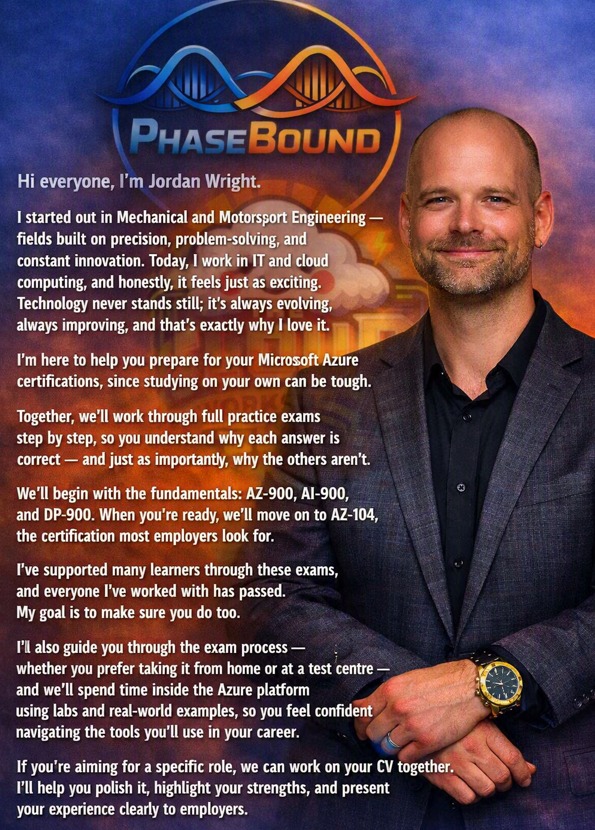
Jordan Wright
From Mechanical & Motorsport Engineering to IT and cloud computing — Jordan guides learners through Microsoft Azure certifications step by step, with full practice exams and real-world labs.
AI Advisor
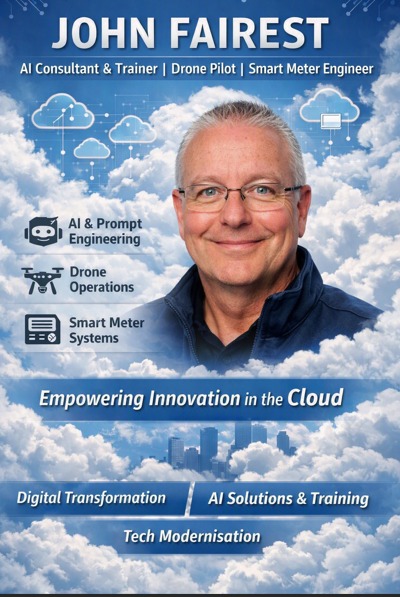
John Fairest
Empowering innovation in the cloud through AI consultancy, training, drone operations, and smart meter engineering. Driving digital transformation and tech modernisation.
Random Quiz — Cloud Workshop Studio Game
A Game which is fun and educational.
A personalised experience from Cloud Workshop Studio — Have fun while learning about cloud technologies. If you want a character of you, Scott can make one for you, so you can be part of the action! Get in touch to learn more.
Explore
Explore the Community
Dive into everything the Cloud Workshop Studio has to offer — from curated playlists to live Q&A.

Meet the Team
Get to know the people behind the studio and find us across all social platforms.

YouTube Playlists
Curated collections — exam quizzes, RPG adventures, OBS setup guides, and website builds.

Get Started
Ready to Grow with the Cloud?
Join our community, ask questions, and learn alongside people who believe technology should create opportunity for everyone. It’s free, it’s open, and it starts right now.


Quiz
Where Cloud Technology Meets Creativity & Community.
Cloud Workshop Studio is a space for learning, experimentation, and storytelling — helping people unlock new skills in cloud architecture, digital media, and modern collaboration.
From hands-on workshops to podcast production, from governance frameworks to creative branding — we help individuals and grassroots organizations grow with confidence and clarity.
Open Learning
Knowledge shared freely, always. No gatekeeping.Volunteer-Driven
Built by people who care, for people who want to learn.Practical & Inspiring
Real skills you can use, delivered with energy.Inclusive
Technology that creates opportunity for everyone.Building the Future of Cloud, Together
We believe in open learning, shared expertise, and the power of technology to create opportunity. Cloud Workshop Studio is more than a learning space — it’s a community built on shared passion and real-world impact.
Explore What We Do →Four Pillars of Cloud Knowledge
We turn cloud knowledge into real-world capability through four interconnected disciplines.
Hands-on Workshops
Practical, project-based learning that demystifies cloud architecture and modern tooling. Build real things, gain real skills.Podcast Production
Stories, conversations, and deep dives from the people building the future of cloud. Learn from the people making it happen.Governance Frameworks
Clear, approachable frameworks that help grassroots organizations grow with confidence. Structure that scales with you.Creative Branding
Where technical precision meets creative storytelling — design and communication that amplifies your technical message.Game Development
Our game project, updates, and future Cloud Workshop creations. Gaming meets cloud innovation in creative new ways.AI & Cloud Training
Hands-on AI and cloud certification prep, from Azure fundamentals to advanced architecture and prompt engineering.The People Behind the Workshop
Meet the passionate experts who drive The Cloud Workshop Studio — bringing real-world cloud, AI, and technology expertise to the community.
Editor & Game Development
Scott Johnson
Leading The Cloud Workshop Studio with a passion for building games, crafting tools, and designing cloud-powered experiences. Uniting creators and players through shared stories, learning, and innovation.
Coach
Jordan Wright
From Mechanical & Motorsport Engineering to IT and cloud computing — Jordan guides learners through Microsoft Azure certifications step by step, with full practice exams and real-world labs.
AI Advisor
John Fairest
Empowering innovation in the cloud through AI consultancy, training, drone operations, and smart meter engineering. Driving digital transformation and tech modernisation.
Random-Quiz — Cloud Workshop Studio Game
A Game which is fun and educational.
A personalised experience from Cloud Workshop Studio — Have fun while learning about cloud technologies. If you want a character of you, Scott can make one for you, so you can be part of the action! Get in touch to learn more.
Explore the Community
Dive into everything the Cloud Workshop Studio has to offer — from curated playlists to live Q&A.
Meet the Team
Get to know the people behind the studio and find us across all social platforms. Meet Us →YouTube Playlists
Curated collections — exam quizzes, RPG adventures, OBS setup guides, and website builds. Watch Now →Games
Our game project, updates, and future Cloud Workshop Studio creations coming to life. Explore →Ready to Grow with the Cloud?
Join our community, ask questions, and learn alongside people who believe technology should create opportunity for everyone. It’s free, it’s open, and it starts right now.AI Use in UK Businesses — Mentoring, Training and Tools
AI Mentoring & Training
for East Midlands Businesses
A practical research guide for business owners, managers, and teams across Lincolnshire, North Lincolnshire, North East Lincolnshire and Nottinghamshire.
already using AI
but only 24% are trained
per year from AI
Task 1: What are the most popular AI tasks undertaken by UK businesses?
Task 2: Identify the top 10 LLMs and AI software platforms used by SMEs in the East Midlands — including Lincolnshire, North & North East Lincolnshire and Nottinghamshire. Provide use stats for the top 5 sectors, key benefits, ease of use, security, and integration. Provide results in a table. Include challenges, concerns and ROI.
Task 3: Identify the advantages and benefits of using AI Trainers and Mentors in supporting management. Identify the search keywords users are using with volumes.
Task 4: Create a featured image and hero image suitable for WordPress and LinkedIn.
Audience: Managers, business owners, and staff most likely to need AI Trainers and Mentors. Language: plain English, no buzzwords.
Most popular AI tasks in UK businesses
What UK businesses are actually using AI for — ranked by how commonly each task is adopted among firms already using AI tools.
| # | Task | Typical business use | Adoption |
|---|---|---|---|
| 1 | Content creation | Emails, marketing copy, social posts, proposals | 85% |
| 2 | Customer service support | AI chatbots, call handling, FAQs | 67% |
| 3 | Data analysis & reporting | Spreadsheet analysis, forecasting, dashboards | 58% |
| 4 | Admin automation | Meeting summaries, scheduling, forms | 55% |
| 5 | Sales & CRM support | Lead qualification, outbound messaging | 49% |
| 6 | Internal knowledge search | Policy lookup, staff assistance tools | 41% |
| 7 | Coding & software support | Code generation and debugging | 38% |
| 8 | Recruitment support | CV screening, interview preparation | 31% |
| 9 | Voice AI & phone handling | Automated booking and appointment handling | 28% |
| 10 | Financial admin | Invoice drafting, bookkeeping support | 26% |
| Benefit | Typical improvement |
|---|---|
| Faster task completion | 25%–60% quicker |
| Reduced admin time | 30%–50% less manual work |
| Improved customer response time | 40%–70% faster |
| Increased content production | 2x–5x faster output |
| Reduced repetitive work | Significant across office teams |
| Better staff productivity | 20%–40% gain |
Top 10 AI tools used by East Midlands SMEs
How the most widely used AI platforms compare on ease of use, security, and how well they connect with the tools your team already uses.
| Platform | Main use | Ease of use | Security | Works well with |
|---|---|---|---|---|
| ChatGPT | General business AI assistant | Very easy | Good (paid) | Wide app ecosystem, strong API |
| Microsoft Copilot | Microsoft 365 productivity AI | Easy | Enterprise | Word, Excel, Teams, Outlook |
| Google Gemini | Google Workspace AI | Easy | Strong | Docs, Gmail, Sheets, Drive |
| Claude | Long documents & business writing | Easy | Strong privacy | Policies, contracts, detailed reports |
| Perplexity AI | AI search & research | Very easy | Moderate | Browser-based, quick research |
| Canva AI | Design & social content | Very easy | Good | Social media, marketing assets |
| HubSpot AI | CRM & sales automation | Medium | Enterprise | Sales, customer service, CRM |
| Salesforce Einstein | Enterprise automation | Medium | Enterprise | Larger SMEs and service firms |
| Zapier AI | Workflow automation | Medium | Good | Connects thousands of apps |
| ElevenLabs | Voice AI & audio generation | Easy | Good | AI call agents, training audio |
| Platform | UK business recognition | Main strength |
|---|---|---|
| ChatGPT | 80%+ | General-purpose AI |
| Microsoft Copilot | 65%+ | Office 365 integration |
| Google Gemini | 55%+ | Google Workspace integration |
| Claude | 35%+ | Long-form document handling |
| Perplexity AI | 25%+ | AI search and research |
| Business type | Best starting tool |
|---|---|
| Office-based SMEs | Microsoft Copilot |
| Marketing businesses | ChatGPT + Canva AI |
| Google Workspace users | Gemini |
| Customer service businesses | AI voice agents |
| Manufacturing | Reporting automation |
| Logistics | Scheduling automation |
| Challenge | Effect on the business |
|---|---|
| Lack of staff training | Low and inconsistent adoption across teams |
| Data security worries | Delays in getting started with AI |
| Poor AI governance | Risk of data mistakes and compliance issues |
| Unclear return on investment | Hard to justify the cost internally |
| Integration difficulties | Weak productivity gains if tools don’t connect |
| Staff resistance to change | Slow and incomplete implementation |
Why businesses need AI trainers and mentors
Most businesses don’t fail with AI because of the tools — they struggle because staff don’t know how to use them properly. AI trainers and mentors close that gap.
This is the real barrier. Businesses that train their teams see faster results, better outputs, and stronger return on investment than those that simply buy the software and hope for the best.
-
Faster staff adoptionReduces the learning curve so your team gets real results within weeks, not months. No more trial-and-error on company time.
-
Better quality outputsGood coaching on how to write effective AI instructions (prompts) means the tools produce far more useful and accurate work first time.
-
Improved security and complianceStaff learn what to share — and what not to share — with AI tools, significantly reducing the risk of data breaches or GDPR issues.
-
Clearer return on investmentStructured guidance helps businesses focus on the AI workflows that genuinely save time and money, rather than experimenting aimlessly.
-
Manager confidenceLeaders get practical support to make informed decisions about AI adoption — not just follow trends or buy tools they don’t understand.
-
Less wasted spendBusinesses stop paying for subscriptions that nobody is using properly. Training ensures every tool earns its place.
-
Reduced staff resistanceGood training reduces fear around AI and builds genuine confidence across the whole team, making change management far smoother.
-
Better change managementMentors help managers lead the process, so AI adoption happens in a planned, structured way rather than ad hoc and inconsistent.
| Business area | What improves with AI mentoring |
|---|---|
| Operations | Better reporting, faster workflows, and reduced manual admin |
| HR | Faster onboarding documents and staff communications |
| Sales | Improved lead management and faster follow-up |
| Marketing | Faster campaign and content production at lower cost |
| Customer service | Shorter response times and 24/7 automated support |
| Leadership | Better information for decision-making and strategy |
| Staff training | Continuous, practical skill development across all levels |
Keywords, search volumes & target audiences
Search terms people in the UK are using when looking for AI training and mentoring support — with estimated monthly volumes and who is doing the searching.
| Search keyword | Est. monthly searches | Who is searching |
|---|---|---|
| ChatGPT training | 6,600 | General staff and managers new to AI tools |
| Microsoft Copilot training | 2,900 | Office 365 users wanting to get more from Copilot |
| AI training for business | 2,400 | Business owners looking to upskill their whole team |
| AI trainer for staff | 1,800 | Managers looking for someone to run team workshops |
| AI consultant UK | 1,900 | Owners seeking expert help to implement AI |
| AI automation for business | 1,700 | Operations managers wanting to reduce manual work |
| Generative AI training | 1,600 | HR and training managers planning staff development |
| AI mentoring for small business | 1,200 | Business owners seeking ongoing AI strategy guidance |
| AI courses for managers | 1,300 | Senior leaders wanting structured AI learning |
| AI coach for managers | 600 | Senior leaders wanting personalised AI support |
| Cost of AI skills training UK | 750 | Business owners budgeting for staff development |
| Automate staff training AI | 900 | Operations managers looking for software-led onboarding |
| AI strategy consultant | 880 | Business leaders planning long-term AI adoption |
| AI implementation consultant | 590 | Managers ready to act but unsure where to start |
| AI productivity training | 480 | Operations leads focused on team efficiency |
| AI workshop for staff | 390 | HR teams organising group learning sessions |
| AI mentor | 720 | Individuals and business owners seeking one-to-one support |
- Cost reduction
- Competitive advantage
- Staff efficiency
- Faster operations
- Better productivity
- Team output
- Workflow integration
- Reporting improvements
- Time savings
- Supporting staff
- Easier daily work
- Less repetitive tasks
- Faster admin
- Better communication
- Skill development
| # | Priority action |
|---|---|
| 1 | Introduce AI policies and basic governance before anything else |
| 2 | Start with low-risk productivity tools — not complex automation |
| 3 | Train managers first, then roll out to wider teams |
| 4 | Measure time savings from day one to build the ROI case |
| 5 | Focus on one workflow at a time, not the whole business at once |
AI in Business: What East Midlands Employees and Business Owners Are Concerned About (2026)
Tab 1
Tab 2
Tab 3
Tab 1
Tab 2
Tab 3
Tab 4
Start learning from the world’s best Online Learning platform
It is a long established fact that a reader will be distracted by the readable content of a page when looking at its layout.
Start learning from the world’s best Online Learning platform
It is a long established fact that a reader will be distracted by the readable content of a page when looking at its layout.
Hello world!
Welcome to WordPress. This is your first post. Edit or delete it, then start writing!