Book a Test
Microsoft Certification Exams: Test Centre vs. Online from Home
Microsoft provides two main ways to take most Microsoft Certification exams: in person at an authorised test centre or online from home or an office under remote supervision. The process starts with selecting your certification, registering through Microsoft Learn, and scheduling an appointment with the relevant exam provider.
Microsoft Learn
1. The overall process
Step 1 — Create your Microsoft Learn profile
Sign in to Microsoft Learn. Complete your profile and select Student as your career path if you are a student.
Step 2 — Choose your certification and prepare
Select the certification you want, review its exam requirements and study guide, and use Microsoft Learn training and practice assessments where available.
Step 3 — Register and book your exam
Open the certification’s details page, select Schedule exam, and follow the instructions to choose the exam provider, delivery method, date and time.
Step 4 — Take the exam
Attend your scheduled test centre appointment or complete the online identity checks and connect with a remote proctor from home.
Step 5 — Receive your result
For most exams, you receive your result shortly after completion. It may take up to 24 hours for the result to appear in your Microsoft Learn profile.
Sources: Microsoft Student Credentials, Register and schedule an exam, and Certification process overview.
Microsoft Learn
+2
2. Taking the exam at a test centre

Best for candidates who prefer a controlled environment
The test centre provides the computer, exam workstation and secure testing environment. You do not need to prepare your home computer for online proctoring.
Microsoft Learn
+1
Follow these steps:
- Book your appointment. Select a test centre and an available date and time during registration.
- Arrive early. Allow sufficient time for travel and check-in.
- Present your identification. Bring the original, valid identification required by the exam provider. Ensure the first and last names on your ID match your registration details.
- Complete security checks. Centre staff verify your identity and explain the testing rules. Personal belongings and unauthorised materials must be stored away.
- Take the exam. You sit at the assigned workstation and complete the exam under the centre’s security procedures.
- Finish and receive your result. Follow the centre’s instructions at the end of the exam. Results for most Microsoft certification exams are available within minutes.
Pearson VUE+2
3. Taking the exam from home

Best for candidates who want flexibility
Microsoft partners with Pearson VUE for online-proctored exams. A remote proctor supervises the session through your webcam and microphone, and your identity and testing environment must be verified before the exam begins.
Microsoft Learn
+1
Before exam day
- Check your computer. Run the official Pearson VUE system test on the same computer and in the same location you intend to use for the exam.
- Check your identification. Ensure you have an acceptable, current government-issued ID and that the name matches your Microsoft Certification profile exactly.
- Prepare your room. Use a quiet room with walls and a closed door. Nobody else may enter during the exam.
- Prepare your equipment. Check your webcam, microphone and internet connection. A wired connection is recommended where possible.
- Clear your workspace. Remove notes, books, additional monitors and other unauthorised materials. Review the official online exam requirements.
Microsoft Learn+1
On exam day
- Log in early. Microsoft recommends starting the check-in process 15 minutes before your appointment.
- Open your exam appointment. Sign in to Microsoft Learn with the personal Microsoft account associated with your certification profile. Select your profile, open Certifications, and find your scheduled appointment.
- Launch the exam. Select Go to the exam, open the relevant purchased online exam and select Begin exam.
- Complete online check-in. Follow the instructions to use the secure browser, submit your ID and headshot, and take photographs of your exam area.
- Wait for verification. A greeter reviews your identity and room photographs. You then enter the proctor queue and wait for the exam to be authorised.
- Complete the exam under supervision. Your session is monitored and recorded. Follow the exam rules, do not receive outside assistance, and do not use unauthorised devices or materials.
- Submit the exam. Follow the on-screen instructions to finish and check your result when it becomes available.
Important: If your computer fails the system test or your home environment cannot meet the security requirements, Microsoft recommends taking the exam at a test centre instead.
Microsoft Learn
4. Comparison of the two methods
| Requirement | Test centre | From home |
|---|---|---|
| Computer | Provided at the centre | Your own compatible computer |
| Internet and software checks | Handled by the centre’s environment | You must check your equipment and connection |
| Identification | Valid ID checked by staff | Valid ID submitted for online verification |
| Supervision | Centre staff and testing controls | Remote proctor via webcam and microphone |
| Testing environment | Provided and controlled | You must prepare a compliant private room |
| Travel | Required | Not required |
| Privacy | No home-room scan | Room photographs and audio/video monitoring |
| Exam difficulty | Equivalent | Equivalent |
Microsoft Learn
+2
5. Important points for students
The Microsoft Learn Student Hub highlights three additional steps for students:
- Create a Microsoft Learn profile and select Student as your career path.
- Verify your student status to access eligible discounts on certification exams.
- Prepare using Microsoft Learn training, hands-on practice and available practice assessments.
Note that Microsoft certification exams and Microsoft Applied Skills assessments are not the same process. Certification exams are scheduled assessments, while Applied Skills credentials are earned through interactive, lab-based assessments. The assessment instructions may therefore differ.
Microsoft Learn
6. Official resources

Microsoft Learn — Student Credentials
Student profiles, eligible discounts and credentials.

Microsoft Learn — Register and Schedule an Exam
Registration, exam providers and delivery options.

Microsoft Learn — Online Exams
Technical requirements, identity checks and online exam rules.

YouTube — Booking a Test
The video you supplied.
Conclusion
The main difference is responsibility for the testing environment. At a test centre, the provider supplies a controlled environment and manages the security checks. From home, you are responsible for the computer, internet connection, room setup and initial identity verification, while a remote proctor supervises the exam.
Both routes lead to the same type of Microsoft certification exam, and Microsoft states that the difficulty is equivalent regardless of the delivery method.
Microsoft Learn
+1
Quiz
Where Cloud Technology Meets Creativity & Community.
Cloud Workshop Studio is a space for learning, experimentation, and storytelling — helping people unlock new skills in cloud architecture, digital media, and modern collaboration.
 Join the Community
From hands-on workshops to podcast production, from governance frameworks to creative branding — we help individuals and grassroots organizations grow with confidence and clarity.

Open Learning
Knowledge shared freely, always. No gatekeeping.
Volunteer-Driven
Built by people who care, for people who want to learn.
Practical & Inspiring
Real skills you can use, delivered with energy.
Inclusive
Technology that creates opportunity for everyone.Building the Future of Cloud, Together
We believe in open learning, shared expertise, and the power of technology to create opportunity. Cloud Workshop Studio is more than a learning space — it’s a community built on shared passion and real-world impact.
Explore What We Do →Four Pillars of Cloud Knowledge
We turn cloud knowledge into real-world capability through four interconnected disciplines.

Hands-on Workshops
Practical, project-based learning that demystifies cloud architecture and modern tooling. Build real things, gain real skills.
Podcast Production
Stories, conversations, and deep dives from the people building the future of cloud. Learn from the people making it happen.
Governance Frameworks
Clear, approachable frameworks that help grassroots organizations grow with confidence. Structure that scales with you.
Creative Branding
Where technical precision meets creative storytelling — design and communication that amplifies your technical message.
Game Development
Our game project, updates, and future Cloud Workshop creations. Gaming meets cloud innovation in creative new ways.
AI & Cloud Training
Hands-on AI and cloud certification prep, from Azure fundamentals to advanced architecture and prompt engineering.The People Behind the Workshop
Meet the passionate experts who drive The Cloud Workshop Studio — bringing real-world cloud, AI, and technology expertise to the community.
 Editor & Game Development
Scott Johnson
Leading The Cloud Workshop Studio with a passion for building games, crafting tools, and designing cloud-powered experiences. Uniting creators and players through shared stories, learning, and innovation.
 Coach
Coach
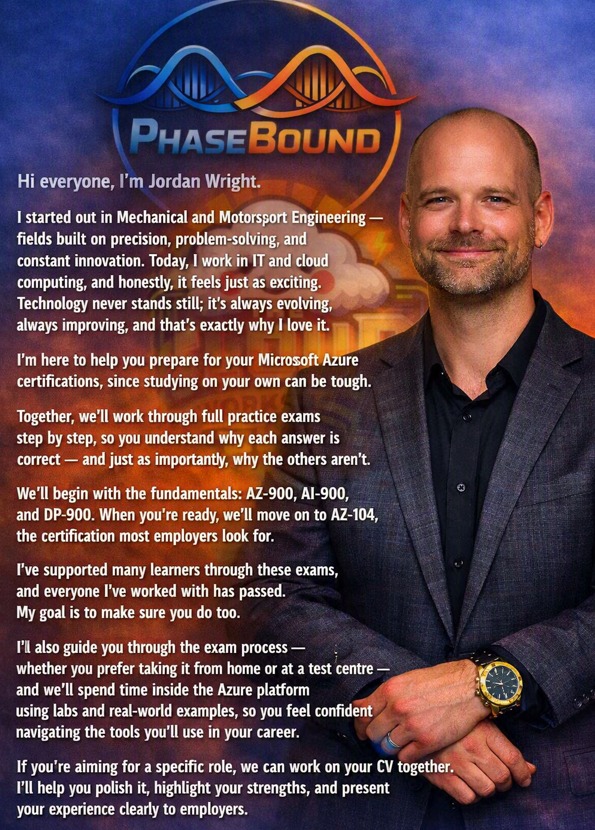
Jordan Wright
From Mechanical & Motorsport Engineering to IT and cloud computing — Jordan guides learners through Microsoft Azure certifications step by step, with full practice exams and real-world labs.
 AI Advisor
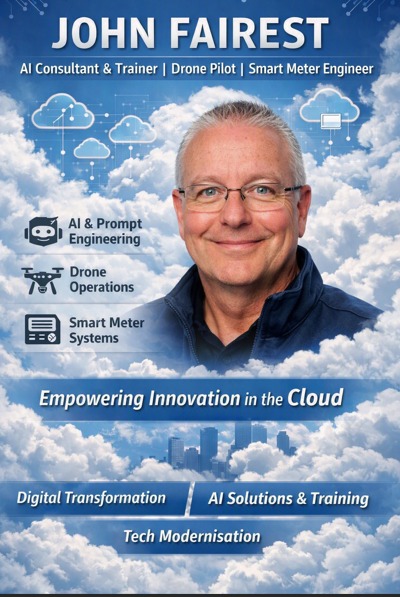
John Fairest
Empowering innovation in the cloud through AI consultancy, training, drone operations, and smart meter engineering. Driving digital transformation and tech modernisation.
Random-Quiz — Cloud Workshop Studio Game
A Game which is fun and educational.
A personalised experience from Cloud Workshop Studio — Have fun while learning about cloud technologies. If you want a character of you, Scott can make one for you, so you can be part of the action! Get in touch to learn more.
Explore the Community
Dive into everything the Cloud Workshop Studio has to offer — from curated playlists to live Q&A.

Meet the Team
Get to know the people behind the studio and find us across all social platforms. Meet Us →
YouTube Playlists
Curated collections — exam quizzes, RPG adventures, OBS setup guides, and website builds. Watch Now →Games
Our game project, updates, and future Cloud Workshop Studio creations coming to life. Explore →
Ready to Grow with the Cloud?
Join our community, ask questions, and learn alongside people who believe technology should create opportunity for everyone. It’s free, it’s open, and it starts right now.


AI in Business: What East Midlands Employees and Business Owners Are Concerned About (2026)
Tab 1
Tab 2
Tab 3
Tab 1
Tab 2
Tab 3
Tab 4
Start learning from the world’s best Online Learning platform
It is a long established fact that a reader will be distracted by the readable content of a page when looking at its layout.
Start learning from the world’s best Online Learning platform
It is a long established fact that a reader will be distracted by the readable content of a page when looking at its layout.
Hello world!
Welcome to WordPress. This is your first post. Edit or delete it, then start writing!